
See “Sampling procedure” for more details on how to sample.
All sampling parameters and functions are controlled from one single window - the Edit Sample window. This window is used when you’re editing samples in any of the devices described above, See “Editing samples” for more details.
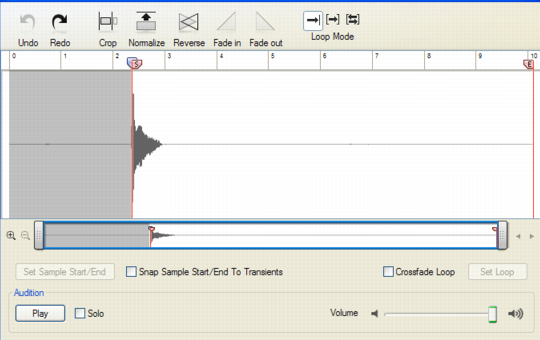
Whenever you sample in Reason, the resulting audio files are stored in WAV format. The sample rate is determined by the settings on the Audio tab in Preferences (see “Audio settings”). The resolution (bit depth) is defined in the setup application for your specific audio hardware (consult the manual for your audio hardware for information). Actually, Reason is totally agnostic about what sample rate and resolution you use. If you like, you can change audio settings at any time without affecting the pitch, playback speed etc. of your samples. What you have once sampled will always sound the same, regardless of the current audio settings!